Color Stream (iPhone App): Is that a rainbow in your pocket or are you just happy to see me?
 Web and graphic designers rejoice! Remember those days when you used to bring those bulky colour swatches whenever you meet-up with a client? It looks really professional right? Probably gave you additional plus points when it comes to making an impression. Well for me, gone are those days. Now I’m using Adobe Kuler whenever I present a colour theme/concept to clients I meet. I’m sure some of you are also using this wonderful designer’s tool (if you’re not using it, I strongly recommend that you should). It’s not so often that Adobe gives fully functional and perpetually useful software/applications for free.
But then there are those times when a client (most of the time new ones) asks to meet-up all of a sudden; because they either have complete lack of regard for your schedule, or by sheer chance that they’ve magnanimously managed to squeeze you into their abysmal schedule. Now, the dilemma here is how you’re going to pitch/present when you don’t have your laptop with you (let’s say your client calls you up for a meeting when you are out shopping or working out in the gym) and you have virtually no access to it whatsoever?
In my case, my workaround for this is that I have almost all the tools I need (or something similar) available/accessible through my iPhone: internet access, email access, an online portfolio, a note pad app, a vector sketch pad/Photoshop app (which I’ll review in another post), and a colour swatch.
The thing with iPhones that irks me the most is that the damn iOS doesn’t and will not ever support flash. So what does this mean? No iPhone access to Adobe Kuler 🙁
So does this mean you have to bring that colour swatch everywhere you go? Of course not. That is a very retarded question to ask. It just means you’d have to download either one of those free half-assed colour swatch apps or buy one of the fully-featured premium apps.
This is where the Color Stream iPhone App comes into the picture. If you go to their official website, it shows there that you could avail of a full copy of this sweet little app for just $2.99. But apparently when I searched for Color Stream in the apple app store, they were letting users download it for FREE. Sweeeet.
Let Me Show You The Way…
You are presented with three options in generating your colour palette from:
1. By loading an existing image from your iPhone.
2. By Taking a snapshot of something.
3. By fiddling with the presets.
The first two options are really nice for making colour themes for your clients who already have a logo or their corporate colours. You’ll can just load up (or take a snapshot) whatever stuff they already have and let the app’s magic do the work.
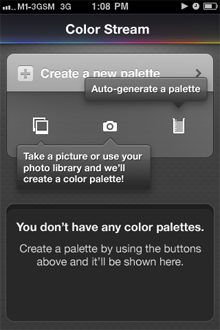
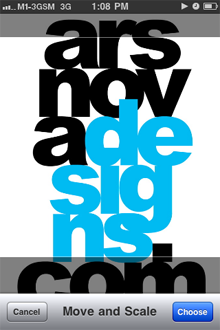
So now let’s try the first option. Making a colour palette from an image in my iPhone’s camera roll. So I open up an image, which you can crop by zooming in only on the part which has the colours that you want the app to focus on. Then after tapping the “Choose” button, it opens up a window that gives you six system-generated swatches that you may further tweak using an RGB/CMYK slider. A nice plus is that on the upper right corner the app also shows you the hex code of the swatch you’re tweaking.
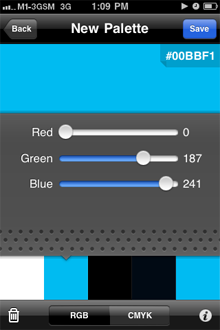
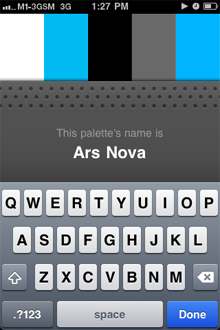
After you’re done perfecting the six swatches in your palette, you may go ahead and name the palette and save it into the app’s palette library.

Okay… now lets try making a palette out of a snapshot. I’ve always wanted to make a website that used a ‘vintage denim jeans’ colour theme. Let’s see if this app would make a nice palette out of the jeans and boots that I’m wearing…
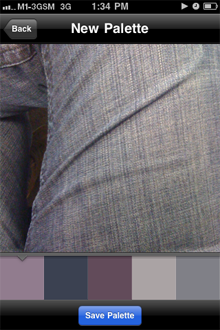
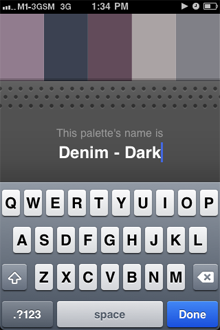
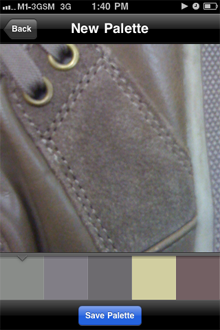
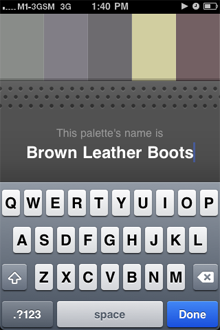

Quite nice… if I may say. So far I’m impressed. I didn’t expect a free app to be so conveniently useful.
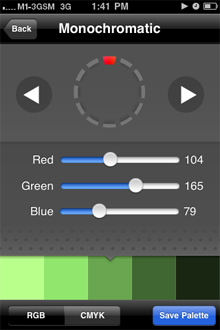
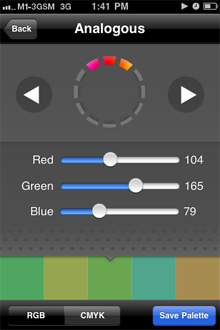
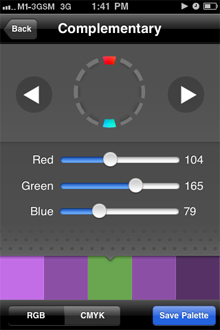
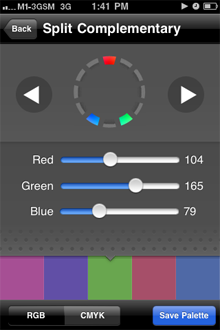
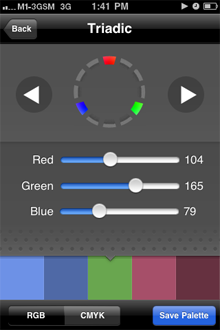
Now the third option, auto-generating a palette, has pretty nifty presets as well. You have the option to choose from five industry-relevant colour harmonies such as Monochromatic, Analogous, Complementary, Split Complementary & Triadic.
The Verdict…
I am definitely impressed with the features of this app. With the versatility of being able to bring this tool with me everyday, whenever and wherever (‘coz I’m one of those people who won’t be caught dead without my phone); there’s a high chance that I’ll be using this more than the Adobe Kuler. If you are a designer I suggest you hurry up and download this from the app store before they stop giving it away for free and raise the price up to an amount that would make you say “f*** it”. If you don’t have a need for it now, heed my words, you’ll need it later.
> Recent Posts
[Sale Alert] Buy a shirt will ya?!
Shameless Plug: $15 Tees + Everything Else on Sale Sale prices as marked. $15 price only applies to Regular T-shirts. Ends 9/12 at 5 PM CT. For more gaming-inspired graphic tees, please visit my Threadless Artist Shop: https://smaaash...
Bucket List #4: Attend an E3 convention, Comicon or something similar
#KidForLife (October 12, 2019) This post is a year late, and thanks to COVID-19 most of us are feeling an extra bit older than we should be. But finally having some ‘me time’ to rummage through my photos, I scrolled to this event and couldn’t help but feel nostalgic and remember how this bucket list item made me feel like a child again...
Bucket List #12: Experience Flying
Cowabunga! (October 5, 2017) …was probably the last word in my mind as I struggle to express the unholy mix of sheer excitement and overwhelming horror while I ‘fly’ down across Skyranch Tagaytay’s zipline...

Rockstar for hire.
I help businesses create memorable branding experiences for their customers.



I’ve just started off a blog, the knowledge you give on this site has aided me extremely. Thank you for all your time & work….
Of course, what a great site and informative posts, I will add backlink – bookmark this site? Regards, Reader…